

How to Apply for a Free Digiplat DNS Subdomain and Configure Cloudflare DNS
Want to deploy a personal project or test site without paying for a domain? This article shows you how to use Digiplat to apply for free subdomains with suffixes such as .US.KG, .DPDNS.ORG, and more.
Why Choose Digiplat Free Domains?
When building web projects or showing personal projects, we often need to deploy the finished work to a server so others can view it. There are plenty of free static website hosting services, but the default URLs they provide are usually long and not very representative. If you are only testing, learning, or showing a temporary project, paying for a domain every time can become an extra cost over the long run.
Digiplat (Digital Platform) provides a very practical free subdomain registration service. It is designed for developers and learners, offering several modern-looking domain suffixes, including .US.KG, .DPDNS.ORG, and .QZZ.IO. You do not need to enter credit card information to register for free and configure DNS records, making it a handy option for deployment testing, experimental websites, or personal resumes.
Registration Walkthrough
Below is a step-by-step guide to registering a free Digiplat domain:
1. Go to the Official Registration Page
First, open the Digiplat official domain registration page and click the prominent "REGISTER A DOMAIN" button on the page.
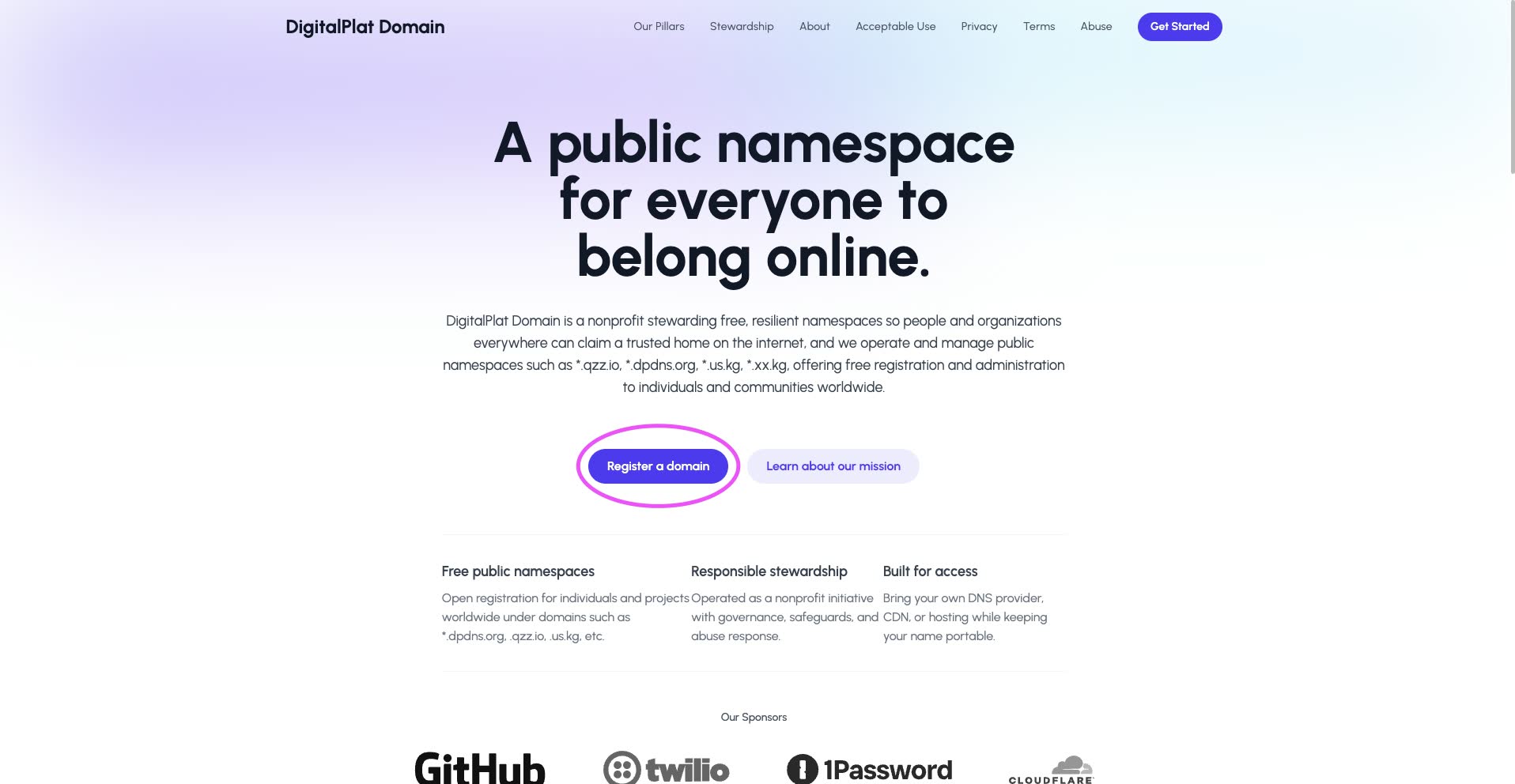
Go to the Digiplat homepage and click "REGISTER A DOMAIN" to start applying
2. Register and Create an Account
After clicking the registration button, click "Sign Up" to fill in basic personal information, such as your email and password, and create a new account.
3. Receive the Verification Email and Log In
After creating your account, the system will send a verification email to your inbox. Once you complete email verification, return to the homepage and click "REGISTER A NEW DOMAIN" again, or log in directly using the email and password you registered with. You can also use a Google or GitHub account for quick login.
4. Choose and Register a Free Domain
After logging in to the Dashboard, click the registration option and scroll to the bottom of the page. You will see the list of currently supported free subdomain suffixes:
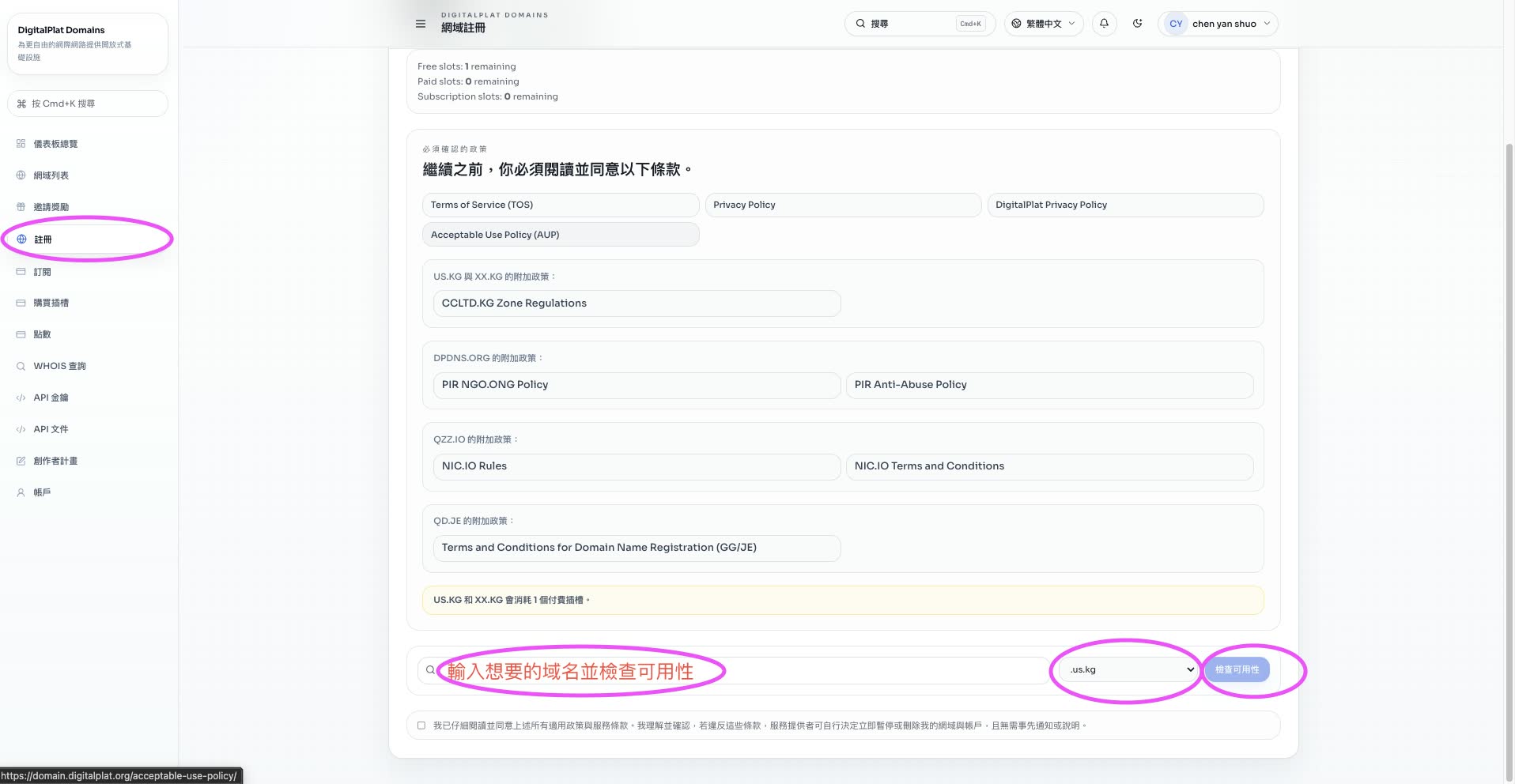
Check the supported free domain suffixes at the bottom of the dashboard
5. Check Availability and Complete the Application
Enter the domain name you want in this section, choose a suitable suffix, and click "Check Availability". If the name has not been registered yet, you can complete the application with one click and start configuring DNS records in the backend, such as A records, CNAME records, and more.
Supported Domain Suffixes
Digiplat provides a variety of domain suffixes. You can choose the one that best fits your project type:
| Domain Suffix | Recommended Use Case | Visual Impression |
|---|---|---|
.DPDNS.ORG | Dynamic DNS, local server mapping | Classic DNS style, suitable for network service testing |
.US.KG | Personal resume, blog website | Has a country-code feel and looks more formal |
.QZZ.IO | Technical projects, API endpoints | Short and tech-oriented, well suited for small open-source tools |
.XX.KG | General development and multi-purpose testing | Simple and easy to remember, suitable for various temporary demo sites |
.QD.JE | Experimental websites, lightweight projects | A special short suffix, suitable for minimalist web pages |
Personal Notes
After using many free domain platforms, including the once-famous Freenom, I think Digiplat's biggest advantage is that the application flow is extremely straightforward, with no hidden restrictions or tedious ad-based verification.
With just a few minutes of verification and login, you can easily manage DNS settings from the dashboard. For developers who often need to quickly deploy demos for clients, or who are used to testing frontend projects on Vercel or Netlify, this is a low-friction and cost-saving backup option.
Small Suggestion: Free subdomains are very suitable for daily development testing, student projects, or temporary demos. But if you are running an official commercial service or a long-term personal brand blog, I still recommend buying a paid top-level domain, such as
.comor.net, because it performs better for search engine SEO and user trust.
Related Links:
This article is a guide to applying for a free Digiplat domain. All steps are based on the latest official platform interface.