

World Monitor: Local Deployment of a Global Real-Time Intelligence Monitoring System with AI Analysis Integration
An in-depth look at World Monitor — from quick local deployment to integrating AI analysis. Learn how to build a real-time monitoring platform covering geopolitics, military, finance, and infrastructure.
Introduction
If you're looking for an intelligence tool that pulls together global information with strong visualizations, World Monitor is one of the best options in the open-source community right now.
It's a real-time global intelligence dashboard. It doesn't just aggregate news — it pulls military activity, maritime satellite data, global markets, infrastructure monitoring, and even earthquakes and wildfires into a single polished 3D globe interface. Everything runs entirely on your local machine, keeping your data private, and you can pipe it through AI for automated summaries so you can quickly make sense of world events.
UI Demo
World Monitor 3D globe with data layers
Try it online: World Monitor Official Demo
Installation Guide: How to Download and Install
World Monitor offers two installation paths. If you're a developer, you can run it from source. If you just want to use it, grab the installer.
1. One-Click Download (Recommended for General Users)
Head to the World Monitor GitHub page and find the installer for your OS:
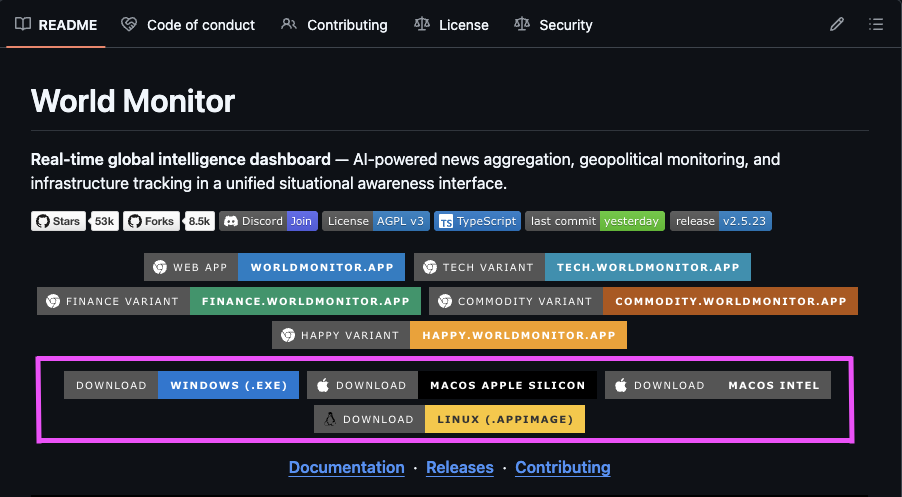
Pick the file for your system from the page (as shown above)
2. Local Dev Environment
If you're comfortable with the terminal, a few commands will get it running locally:
# Clone the repo
git clone https://github.com/koala73/worldmonitor.git

# Enter the directory
cd worldmonitor

# Install dependencies
npm install

# Start the dev server
npm run dev
Then open your browser to localhost:5173.
Core Features Walkthrough
Step 1: Set Up API Keys (Unlock the Full Experience)
The base features work out of the box, but if you want deeper AI analysis and more accurate data, head to the Settings page:
- Quick links: Each API field has a "Get" button next to it — click it and your browser will take you straight to the sign-up page.
- Stays local: All API keys are stored on your machine and never uploaded anywhere.
API setup: click Get to quickly apply for a key
Step 2: Toggle Data Layers
You can freely enable or disable 45+ data layers:
- Military / Maritime: Track military aircraft flight paths and naval vessel positions (ADS-B data courtesy of Wingbits).
- Natural Disasters: Real-time global earthquake and wildfire alerts.
- Cybersecurity: Monitor global cyber attack hotspots.
Step 3: AI Daily Intelligence Briefing
World Monitor pulls from 500+ news sources worldwide and uses AI to classify and summarize them. You get structured daily briefings, and you can even generate shareable image slides with one click.
Step 4: Integrate AI Agents (MCP Setup)
If you're a heavy Claude or Cursor user, you can turn World Monitor into an AI's "eyes." Through the MCP protocol, AI agents can directly call global intelligence tools:
Claude Code config example:
claude mcp add world-monitor \
  --transport http \
  --url http://127.0.0.1:YOUR_PORT/mcp \
  --auth-key YOUR_API_KEY
Why I Recommend It
- Privacy first: If you don't trust cloud platforms, World Monitor supports running local AI models through Ollama.
- Full-spectrum visibility: It breaks past the limits of news headlines and lets you see what's really happening through satellite data and financial trends.
- Great visuals: The Globe.gl + Three.js combo makes map interaction smooth and responsive. It even looks good parked on a second monitor as ambient background.
It's more than just a tool — it's a practical lens for understanding the world in the digital age. You can deploy it online as your personal trend-monitoring platform, or just run it locally and enjoy that feeling of having a global pulse at your fingertips.
Related links: