

NVIDIA NIM Free DeepSeek-V4-Pro API Application and Multi-Framework Integration Guide
No credit card required, no trial period! This guide shows you how to connect to the newly released DeepSeek-V4-Pro and Flash models through NVIDIA NIM with minimal friction.
Introduction
As developers, we are often looking for AI solutions that offer strong performance without costing too much. In the past, we might have had to run models locally through LM Studio, or bind a credit card just to test an API.
Recently, NVIDIA released a very developer-friendly benefit: through the NVIDIA NIM (Inference Microservices) platform, it has officially opened API access to several high-end AI models, including the newly announced DeepSeek-V4 series.
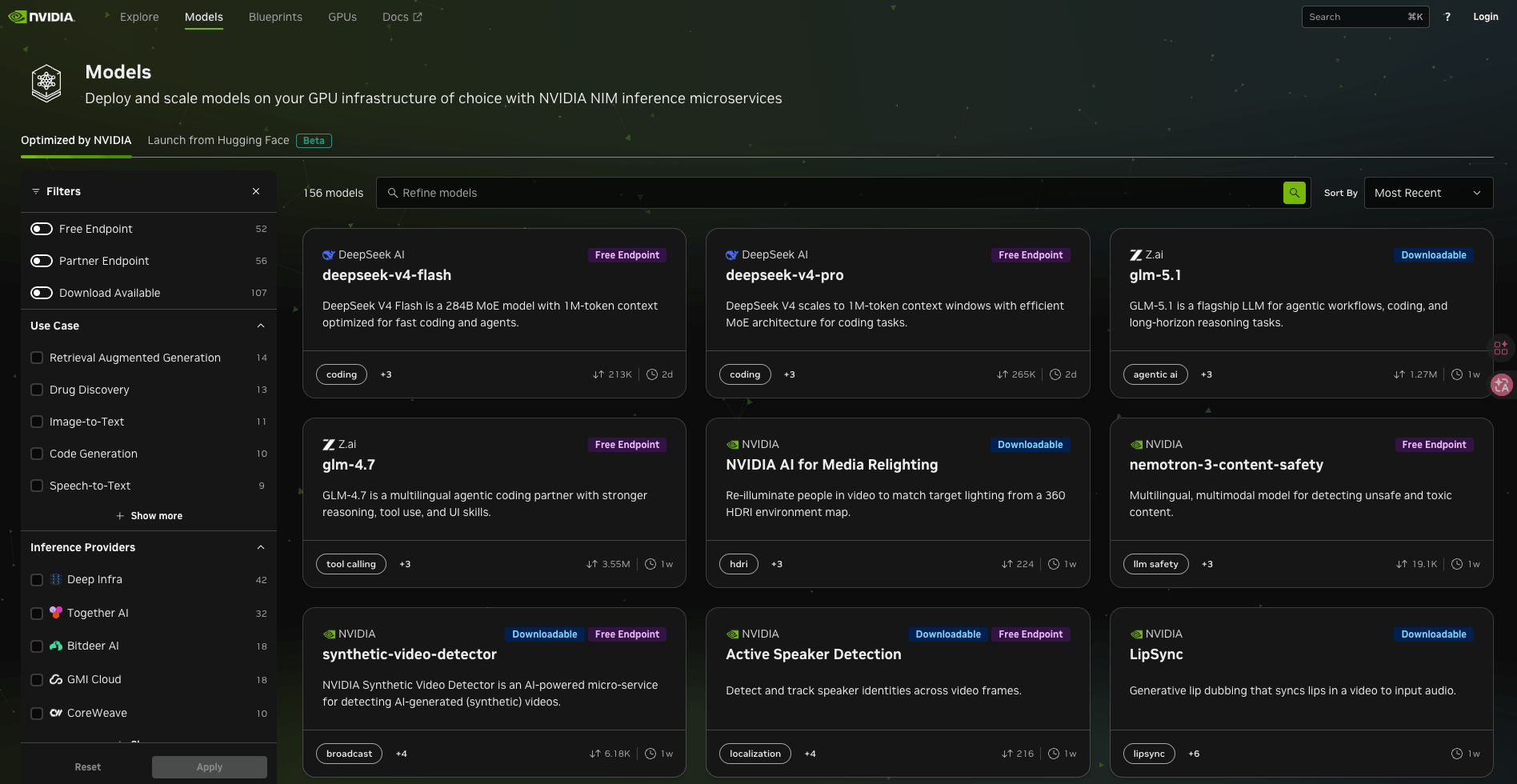
The most exciting part is this: you do not need to bind a credit card, and there is no trial-period limit. As long as you have an NVIDIA account, you can directly get production-grade inference capability and try DeepSeek's latest flagship model for free.
Why does this update matter?
DeepSeek just released its latest V4 series models, pushing the open-source model benchmark to a new level. NVIDIA NIM listed these models right away, which means you can access some of the strongest options currently available in the open-source community for free:
| Model | Parameters | Context Length | Core Strengths |
|---|---|---|---|
| DeepSeek-V4-Pro | 1.6T (49B active) | 1M Tokens | Strong knowledge capability, code generation, and complex logical reasoning, comparable to and in some cases beyond leading closed-source models. |
| DeepSeek-V4-Flash | 284B (13B active) | 1M Tokens | Very fast and cost-efficient, suitable for long-text summarization and quick everyday assistance. |
The V4 series introduces a Hybrid Attention Architecture. In a 1M-token long-context environment, the Pro version consumes only 27% of the compute used by V3.2. Combined with NIM's hardware acceleration, the response speed is quite impressive.
5-Minute Frictionless Integration Tutorial
NVIDIA made a smart move by making its API fully compatible with the OpenAI SDK. This means your existing AI application only needs two lines of code changed to switch directly to NVIDIA's free resources.
1. Get an API Key
Go to the NVIDIA Build official website, log in, find DeepSeek-V4-Pro, and enter the Dashboard. From there, you can generate your own API Key.
2. Environment Setup
I recommend managing the key with a .env file to avoid leaking it when pushing code to GitHub.
NVIDIA_API_KEY=nvapi-xxxxxxxxxxxxxxxxxxxx
3. Implement the Call Logic
Here is a standard Python example. You will notice that, except for base_url, the rest of the syntax is exactly the same as OpenAI:
import os
from openai import OpenAI
from dotenv import load_dotenv

load_dotenv()

# Initialize the client and point it to the NVIDIA endpoint
client = OpenAI(
    base_url="https://integrate.api.nvidia.com/v1",
    api_key=os.getenv("NVIDIA_API_KEY"),
)

# Call the latest DeepSeek-V4-Pro for code generation
response = client.chat.completions.create(
    model="deepseek-ai/deepseek-v4-pro",
    messages=[
        {"role": "user", "content": "Please help me write a Vue 3 Composition API countdown timer component."}
    ],
    max_tokens=1024,
)

print(response.choices[0].message.content)
Advanced Tip: Enable Think Mode
DeepSeek-V4 natively supports three thinking modes: Non-think, Think High, and Think Max. Through NVIDIA's API, you can also obtain the model's more deliberate reasoning process:
response = client.chat.completions.create(
    model="deepseek-ai/deepseek-v4-pro",
    messages=[
        {"role": "user", "content": "Prove that \(\sqrt{2}\) is irrational"}
    ]
    # In supported models, you will see the returned text include <think> tags
)
Conclusion
For developers like us who enjoy tinkering with side projects, NVIDIA's NIM API paired with the latest DeepSeek-V4-Pro is a very practical free option. It not only lets you experience 1 million-token long-context processing with very little setup, but also makes hardware compute that used to require expensive rentals much easier to access.
I strongly recommend applying for a Key now and trying the inference speed that a major GPU vendor can provide.