

Four Months with Zen Browser: Chrome Is Now Just for Netflix
I’ve used Zen Browser as my main browser for four months. This article covers its auto-hiding sidebar, Workspaces, Glance, Split View, Firefox extensions, and the Zen Mods I use, along with why I still need another browser for Netflix.
Introduction
I’ve used Zen Browser as my main browser for about four months. Other than Netflix, I now rarely open Chrome on purpose.
What first caught my attention was its appearance. All tabs live in the sidebar, which expands when you move the pointer over it and otherwise leaves more room for the webpage. After using it for a while, though, the reasons I stayed became much more practical: tabs are easier to organize, I can customize the interface, and Firefox extensions work directly in Zen.
Zen is an open-source browser based on Firefox, but it’s more than Firefox with a different skin. Vertical tabs, Workspaces, Glance, Split View, and Zen Mods all shape how the browser works. The video below shows my current setup, including the auto-hiding sidebar.
- Official Zen Browser download page
- Official Zen Browser documentation
- Official Zen Mods marketplace
- uBlock Origin on Firefox Add-ons
Download and Installation
Go to the official Zen Browser download page and select your operating system. Zen currently provides versions for macOS, Windows, and Linux, and the download page clearly notes that the browser is still in Beta.
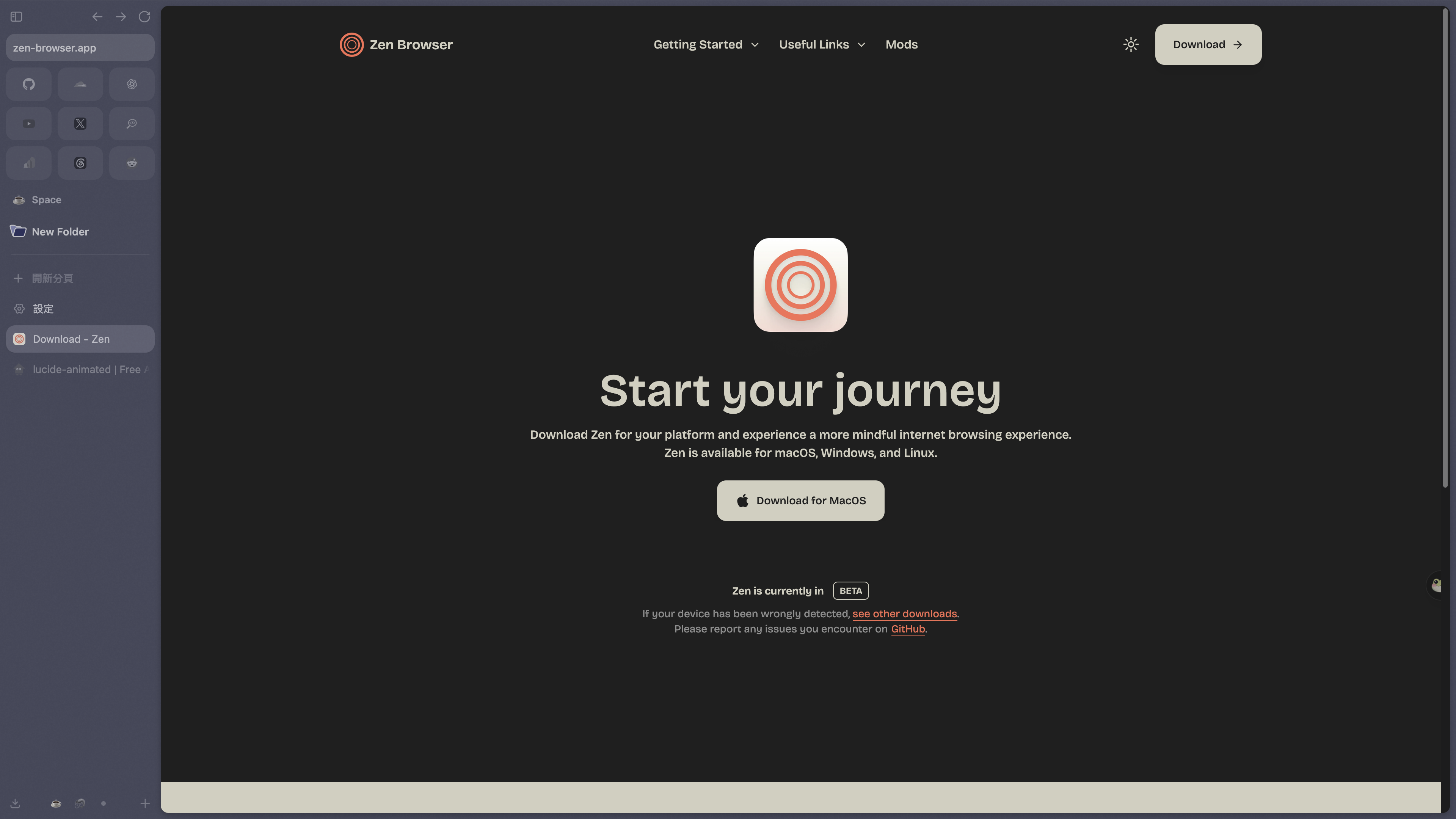
The official download page shows the appropriate version for your system; I’m using macOS here
When you first open Zen, you can sign in with a Mozilla account to sync bookmarks, passwords, browsing history, and extensions. If you already use Firefox, you won’t have to start over.
The Auto-Hiding Sidebar Is What I Use Most
Vertical tabs are central to Zen. Frequently used websites can go into Essentials at the top, while other tabs can be organized into Workspaces and folders for work, entertainment, or different projects instead of cramming everything into one row.
My favorite option is Compact Mode. The sidebar stays collapsed most of the time and expands only when I move the pointer to the edge of the window. It automatically hides again when I move away. This isn’t a Mod I installed separately—it’s Zen’s built-in Compact Mode. When I need even more room for a webpage, I can hide the top toolbar as well.
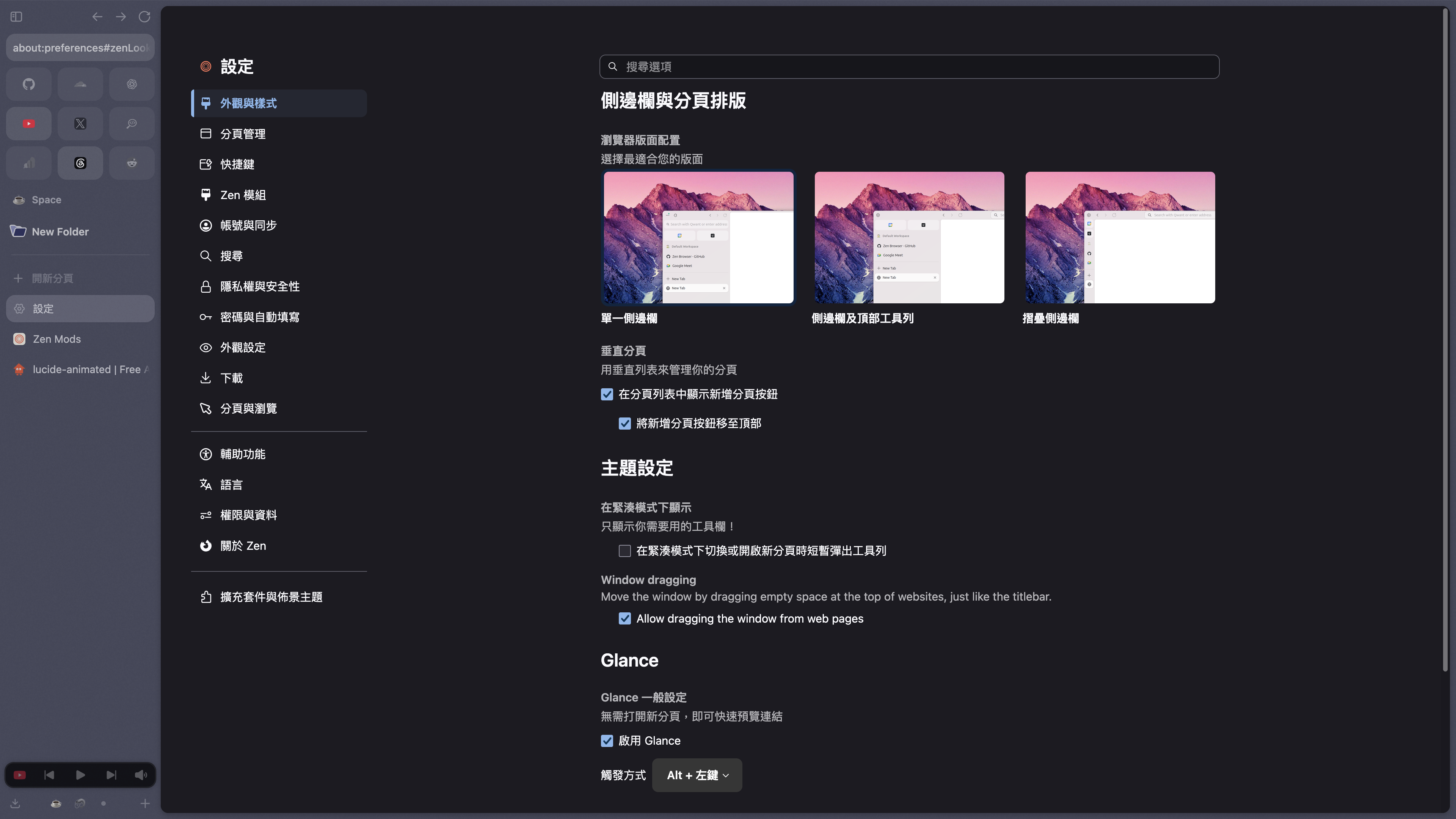
The settings let you change the sidebar layout, Compact Mode, and how Glance is triggered
This difference is difficult to show in a screenshot, but in the video, the entire tab list slides out when I move the pointer to the left edge. After getting used to it, browsers with a permanently visible tab bar start to feel a little cramped.
Glance and Split View Are Genuinely Useful Too
Glance provides quick link previews. By default, holding Alt while clicking a link opens its content in an overlay above the current page. Once you’re done, you can simply close it instead of opening a new tab just to check a link. If the content is worth keeping, you can expand the preview into a regular tab or move it into Split View.
Split View can display up to four tabs side by side. I mostly use it to reference material while writing or to compare two pages at once. It’s not something I use every day, but when I need to cross-reference information, it’s much more direct than repeatedly switching between tabs.
Firefox Extensions Are Why I Barely See Any Ads
Because Zen is built on Firefox, it can install Firefox extensions directly from Mozilla Add-ons. I currently use it with uBlock Origin, which blocks ads, trackers, pop-ups, and other unwanted content by default.
In my four months of use, I’ve seen almost no ads on YouTube or regular websites, and ad blocking hasn’t caused any obvious problems. However, that’s the result of using Zen with uBlock Origin—not a native Zen guarantee of a completely ad-free experience. Websites and filter rules can change, and some pages may ask you to disable content blocking. If a page fails to load correctly, temporarily disable the extension for that specific site first.
It’s also worth distinguishing between two different things: Firefox extensions affect the websites you browse, with uBlock Origin handling content filtering, for example. Zen Mods mainly use CSS to customize the browser interface itself. They are not part of the same extension system.
The Five Zen Mods I Currently Use
Zen’s settings include a dedicated Zen Mods page where you can enable, configure, update, or remove installed Mods. The five I currently use are all minor interface tweaks and don’t add complex features.
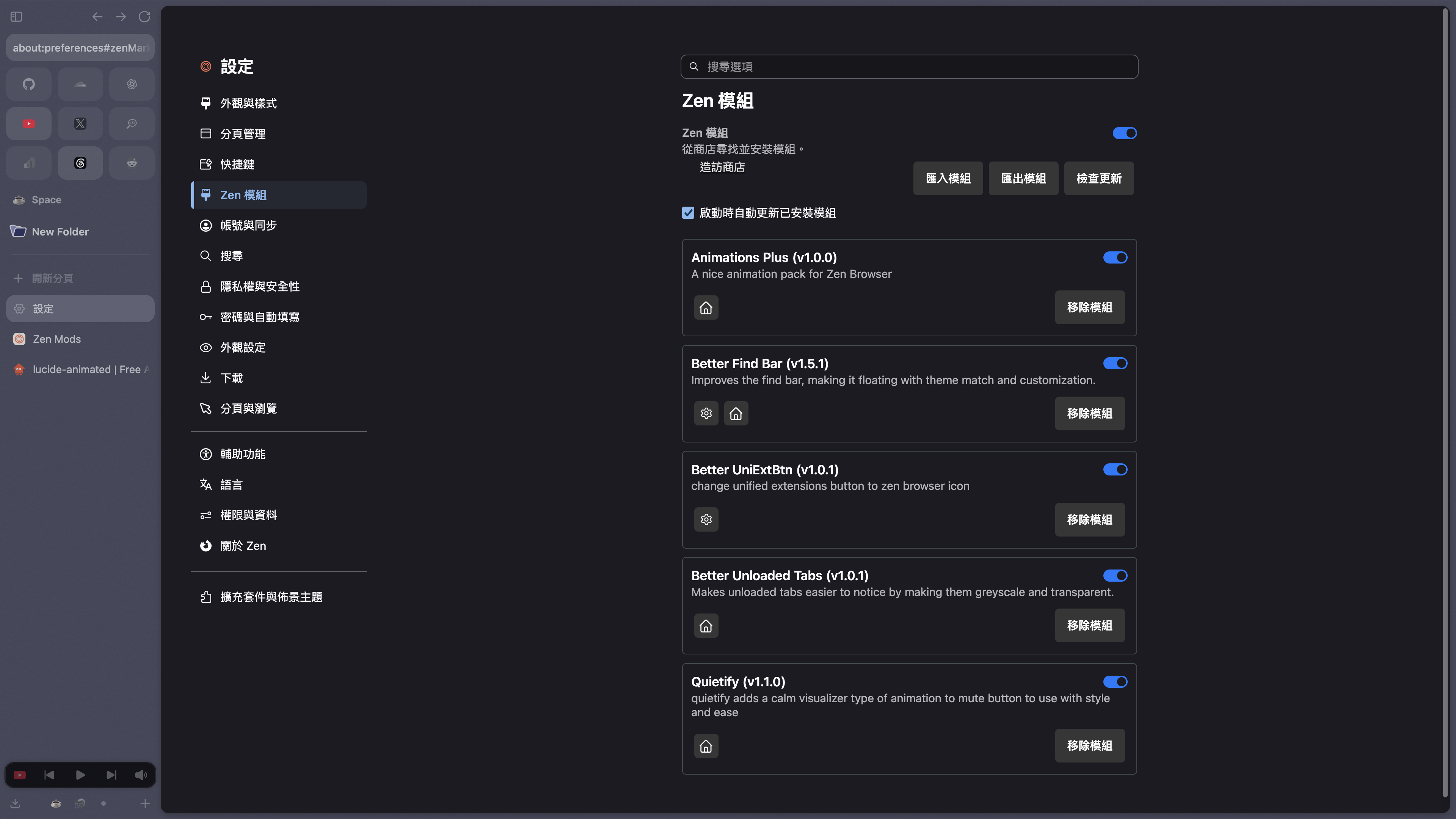
The five Zen Mods I currently have enabled
- Animations Plus: Adds interface animations to Zen, making tab switching and button interactions feel less abrupt.
- Better Find Bar: Turns the in-page search bar into a floating panel and matches it to Zen’s theme colors.
- Better UniExtBtn: Replaces the unified extensions button with a Zen icon. Its functionality stays the same; the main benefit is a more consistent toolbar.
- Better Unloaded Tabs: Displays unloaded tabs in grayscale with reduced opacity, making it easier to tell which tabs haven’t been opened when you have many of them.
- Quietify: Adds a subtler animated visual effect to the mute button, making it easier to find the tab that’s playing audio.
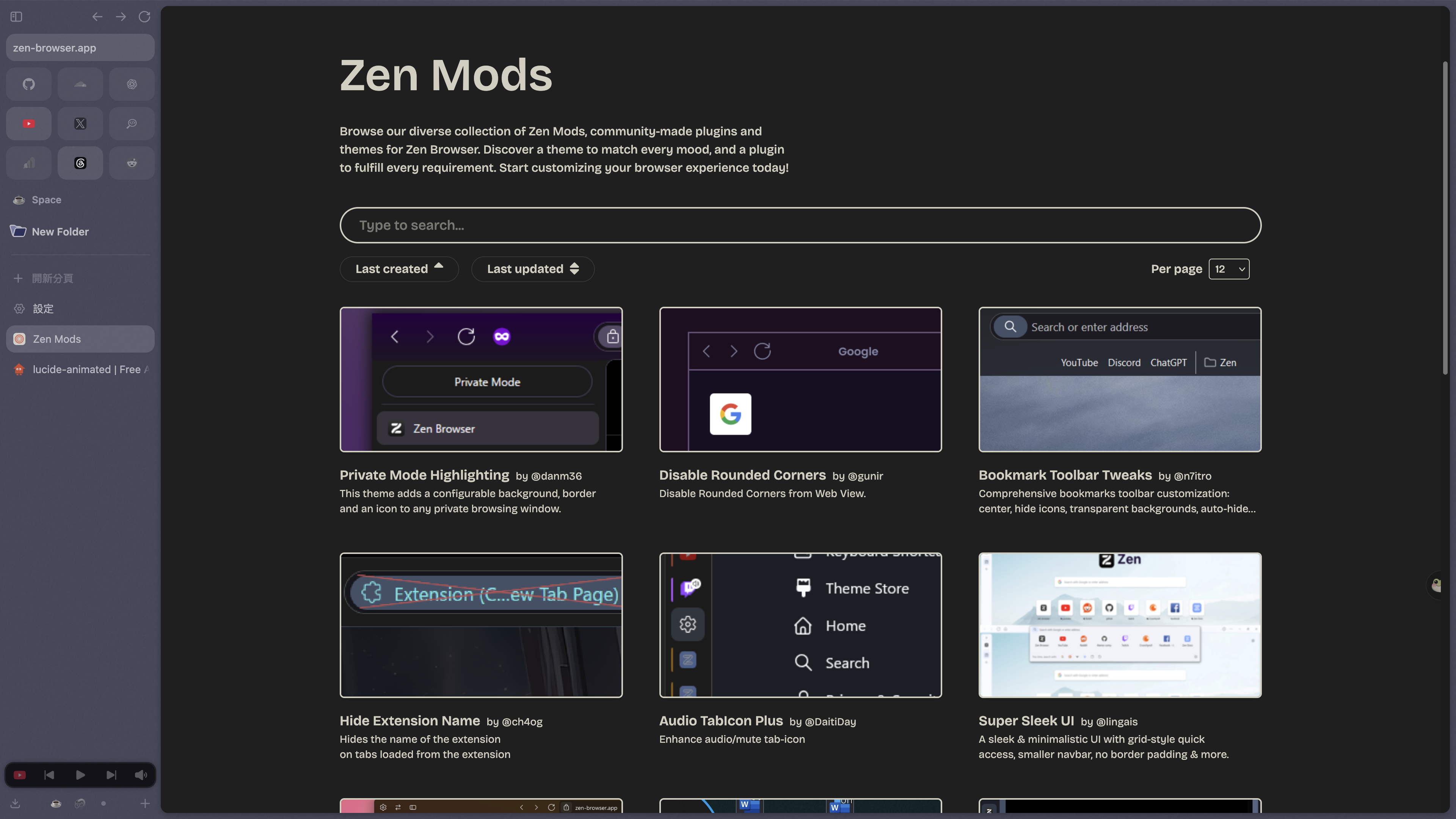
The Zen Mods marketplace has many more community-made interface add-ons and themes; search for a name to install one
I wouldn’t recommend installing the entire marketplace right away. Use the default interface for a few days first, figure out what genuinely bothers you, and then add the relevant Mod. Otherwise, you may eventually have no idea which setting changed what you’re seeing.
Netflix Is the Only Reason I Go Back to Chrome
On macOS, I currently can’t play Netflix in Zen. The Netflix website itself isn’t broken. Zen hasn’t yet obtained a Widevine license, so DRM-protected video services are affected on Windows and macOS. The official FAQ also lists Disney+, Amazon Prime Video, Spotify, and other platforms that use DRM.
That’s why I haven’t uninstalled Chrome. I open it when I want to watch Netflix and use Zen for everything else. After four months, this remains the most noticeable limitation, and it’s the first thing I mention before recommending that someone switch.
Four Months Later, It’s Still My Main Browser
Zen didn’t replace Chrome for me because of one remarkable feature. After four months, the reasons I don’t want to switch back are all small things I use every day: the sidebar hides itself, tabs can be separated into Workspaces, links can be previewed with Glance, and Firefox extensions still work.
It’s still in Beta, and Zen Mods may need adjustments as the interface changes. If you watch DRM-protected streaming content every day, you’ll also need to keep another browser around. For the way I use it, though, none of that has stopped Zen from becoming my main browser. At this point, Chrome really is more of a Netflix launcher for me.