

Headroom Hands-On: A Context Compression Layer for AI Agents That Cuts Token Costs by 60–95%
Headroom is an open source context optimization tool built for AI Agents. It combines multiple compression algorithms, supports local reversible decompression (CCR), and can sharply reduce LLM compute costs while improving response speed.
Hands-On Result: One Prompt Cut Token Usage by 84.4%
Before getting into the introduction, I tested Headroom with a command that puts real pressure on an AI context window.
I gave my AI Coding Agent (Antigravity CLI) this prompt:
"Please help me analyze this project's node_modules dependency structure and find whether there are any potentially conflicting packages. You can run
npm list --alldirectly in the terminal to read our full dependency tree and identify problems from it."
Test Process Screenshot
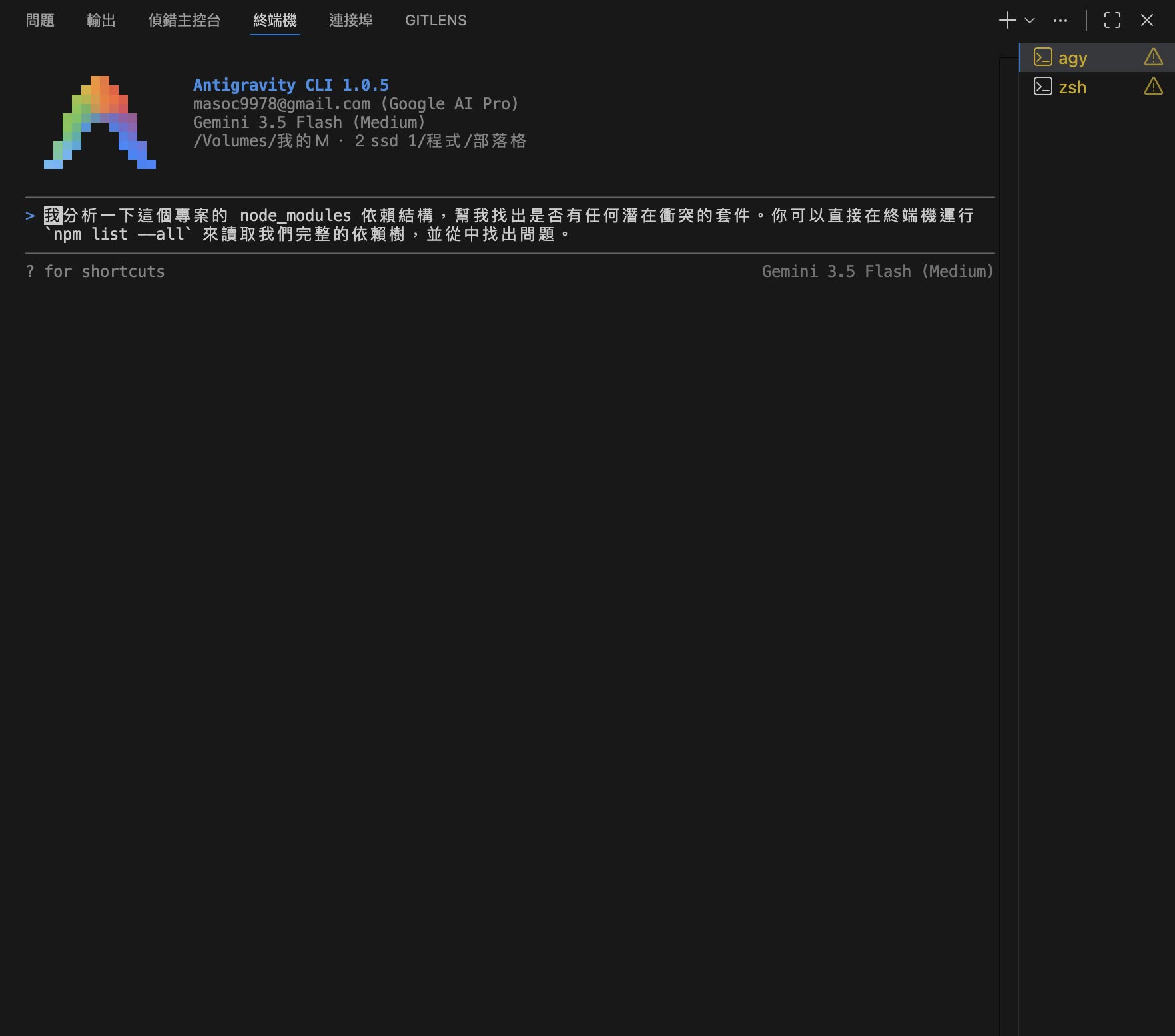
The large output produced when the AI ran npm list --all
Checking the Token Savings with headroom perf
After the AI finished and successfully answered my question, I immediately ran headroom perf in the terminal to pull the optimization report. The result was surprising:
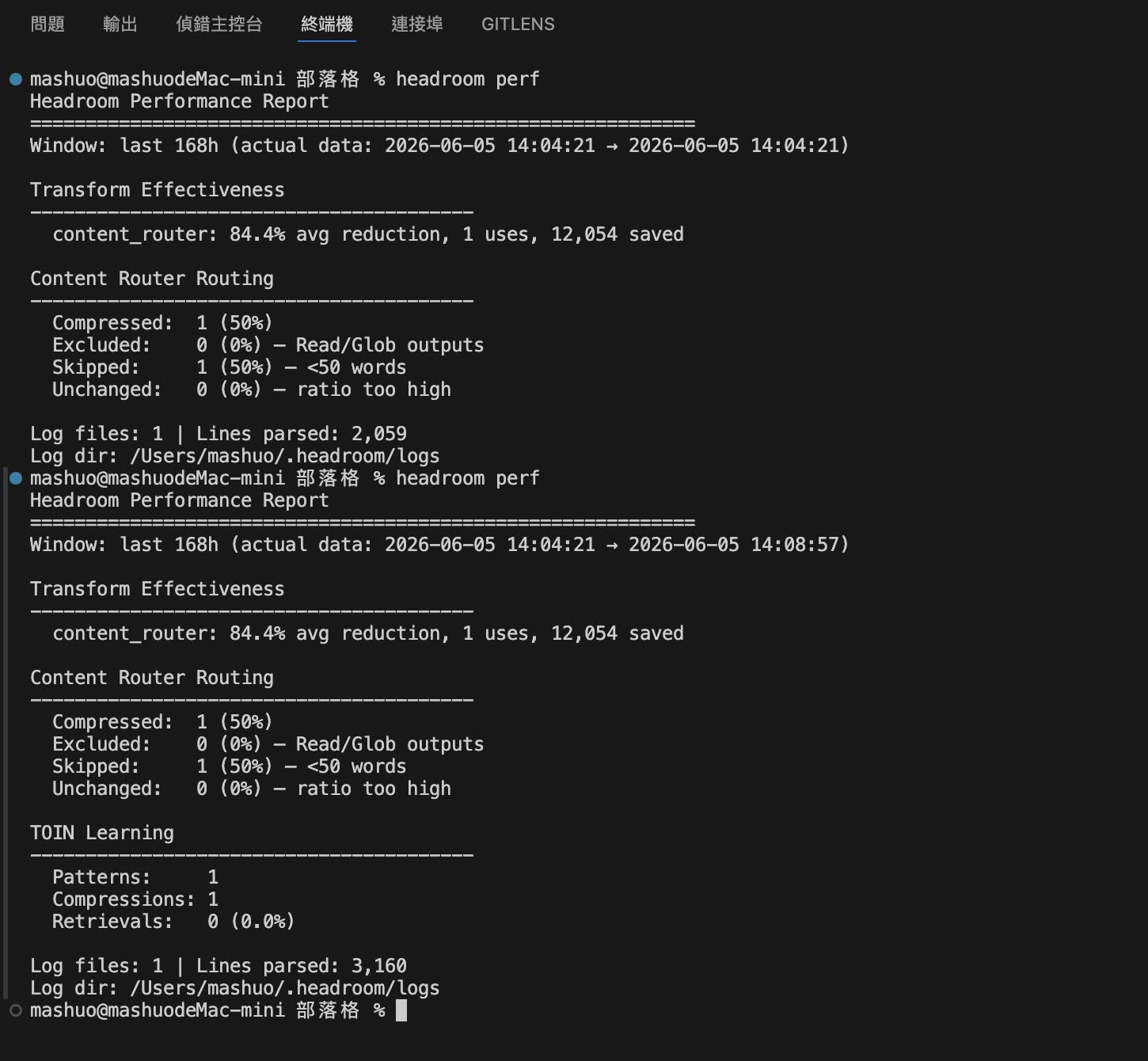
The real-time savings report output by headroom perf
Notes From the Test
- An 84.4% savings rate: This dependency tree would originally have produced as many as 14,303 tokens. After Headroom's
SmartCrusherintelligently filtered noise and repeated structures (saving 12,054 tokens), only 2,249 tokens were actually sent to the large model. - A clear speedup: The large model no longer had to spend time reading through a pile of repeated dependency tree levels. Time-to-First-Token was almost immediate, and the experience felt much better.
- Answer quality was not affected: The large model still accurately found the potentially conflicting packages in the project. This is because Headroom recognized the structure intelligently and did not drop the module nodes that actually mattered.
And this was only the result of one prompt. In day-to-day development, AI often needs to repeatedly read logs, Git diffs, or test output. Over a full day, the saved tokens and API bill can become very noticeable. Next, let's look more closely at how it works.
Introduction
As AI Agents such as Claude Code, Cursor, and Aider become more common, developers are getting a lot of convenience, but also running into an expensive pain point: token bills blowing up and Context Window quality degrading.
When an AI Agent performs code search, database queries, unit test runs, or reads large logs, it often dumps tens of thousands of lines of redundant output directly into the prompt. This not only creates a large token cost, but also reduces LLM accuracy and response speed because of the "Lost in the Middle" effect.
Headroom (open sourced by chopratejas) is an elegant "context optimization and compression layer." Before data is passed to an LLM, it can automatically compress tool output, logs, JSON data, and code by as much as 60–95%, while keeping the original information recoverable.
Core Highlights
Unlike typical prompt trimming tools, Headroom is a lower-level middleware layer with several notable characteristics:
- 60–95% token savings: Aggressive compression for real developer workflows.
- Reversible compression (Content-Compressed Retrieval, CCR): The original data is kept locally. Only the compressed summary is sent to the LLM, and a dedicated retrieval tool is provided to the model. When the model needs details, it can call the tool to restore the data, achieving true "lossless" behavior.
- Zero-code integration (Proxy mode): It can run directly as a local proxy and work smoothly with existing CLI agent tools.
- Cache alignment (CacheAligner): It optimizes and stabilizes the prompt prefix to maximize KV cache hit rate for cloud LLM providers, further reducing cost and latency.
How Does It Work?
Headroom runs locally, which helps keep data private. Its main processing architecture looks like this:
 Your Agent App (Claude Code, Cursor, LangChain, etc.)
         │   Prompts / tool output / logs / RAG results
         ▼
 ┌────────────────────────────────────────────────────┐
 │  Headroom local optimization layer                 │
 │  ────────────────────────────────────────────────  │
 │  CacheAligner  →  ContentRouter  →  CCR            │
 │                    ├─ SmartCrusher   (JSON compression) │
 │                    ├─ CodeCompressor (AST syntax tree)  │
 │                    └─ Kompress-base  (text/logs)        │
 └────────────────────────────────────────────────────┘
         │   Compressed context + Retrieval Tool
         ▼
 Cloud LLM providers (Anthropic, OpenAI, Bedrock, etc.)
- ContentRouter: Automatically identifies the incoming content type, such as JSON, Python source code, system logs, or plain text, and routes it to the most suitable compression algorithm.
- Multiple compression algorithms:
- SmartCrusher: Built specifically for JSON structures. It keeps error messages, statistical anomalies, and the core fields most relevant to the user's query, while removing redundant repeated key-value pairs.
- CodeCompressor: Uses AST (Abstract Syntax Tree) compression. It keeps important imports, function signatures, and class definitions, while compressing less useful implementation details so the LLM can quickly understand the code structure.
- Kompress-base: Designed for large text and logs. It uses a small local model hosted on Hugging Face for semantic summarization and noise filtering.
- Content-Compressed Retrieval (CCR):
This is Headroom's cleverest design. The LLM receives highly compressed text, but it is also given a
headroom_retrieve(key)tool. If the LLM discovers while generating code that a function's internal implementation has been compressed away, it can "call back" to local Headroom on the spot to retrieve the full code. This neatly solves the precision loss that compression can introduce.
Quick Start
Headroom provides several integration modes, making it easy to use in different scenarios.
1. Local Proxy Mode (Zero-Code Proxy)
If you are using Cursor, Aider, or Claude Code, the fastest approach is to run Headroom as a local proxy:
# Start the local proxy server and listen on port 8787
headroom proxy --port 8787
Then point the API Endpoint in your Agent configuration to http://localhost:8787/v1. All API requests will have their context compressed locally before being forwarded to the corresponding OpenAI or Anthropic API.
2. Command-Line Wrapper (Agent Wrap)
You can also use the wrap command directly to wrap and run common development tools:
headroom wrap claude
# or
headroom wrap aider
3. SDK Library Mode (Python / TypeScript)
If you are building your own Agent, you can import Headroom directly as a dependency.
Python Example:
First, install the library:
pip install headroom-ai
Use it in code:
from headroom import Headroom

# Initialize Headroom
hr = Headroom()

messages = [
    {"role": "system", "content": "You are a helpful assistant."},
    {"role": "user", "content": "Analyze this giant log output: ..."}
]

# Compress messages
compressed_messages = hr.compress(messages)

# Send the compressed messages to your large model
# response = openai.chat.completions.create(messages=compressed_messages, ...)
TypeScript/JavaScript Example:
Install the npm package:
npm install headroom-ai
Use it in code:
import { Headroom } from 'headroom-ai';

const hr = new Headroom();

const messages = [
  { role: 'user', content: 'Here is the database response: ...' }
];

const compressed = await hr.compress(messages);
Performance Evaluation
In the official evaluation benchmarks, including GSM8K, TruthfulQA, and SQuAD v2, Headroom showed very strong results:
| Workload | Token Savings | Accuracy Retention |
|---|---|---|
| Database query results (SQL JSON) | 85% – 93% | 98.4% |
| Code refactoring and search (AST Code) | 65% – 78% | 97.2% |
| CI/CD test and build logs | 90% – 96% | 99.1% |
| RAG document retrieval passages | 70% – 82% | 96.5% |
For development teams that use AI Agents heavily every day, introducing Headroom could bring an API spend of 10 USD per day down to 1–2 USD, while the model's Time-to-First-Token also improves noticeably because the prompt is shorter.
Summary: Should You Add It to Your Workflow?
Pros:
- Real cost savings: It directly cuts more than 70% of context tokens, especially in long conversations.
- Security and privacy: All compression and decompression happens fully on the local machine, so data does not leak out.
- Lossless fallback: CCR provides a safety net, so key code or details are not lost just because they were compressed.
Best suited for:
- Engineers who frequently use Aider, Cursor, or Claude Code for large project refactors.
- Architects building enterprise AI Agents that need to handle large API responses or system logs.
- Developers who want to fit more historical memory into a limited Context Window.
Related Links
- GitHub Repository: chopratejas/headroom
- Official Docs: Headroom Docs
- PyPI URL: headroom-ai on PyPI
- npm URL: headroom-ai on npm