

Testing Horizon: Letting Codex Automatically Organize Daily AI News
I wired Horizon into my blog news workflow so it handles collecting sources, then hands them to Codex to write a daily AI news summary. This article records the installation method, basic usage flow, and what I thought after actually testing it.
Introduction
I have been working on the AI news page for this blog recently, and I wanted to try having Codex automatically organize an AI news summary every morning.
At first I thought the hardest part would be writing the article. Later I realized the part that really takes time is “collecting sources.” AI news sources are scattered everywhere: official blogs, GitHub Changelog, Hacker News, researchers’ personal blogs, and release notes from open-source projects. Checking them manually for one day is fine, but doing it every day on a fixed schedule gets annoying fast.
So I tested Horizon. It can fetch content from multiple sources and then hand it to AI for organization. My use case this time is fairly simple: Horizon handles collecting the data, and Codex turns that data into a daily news article for the blog.
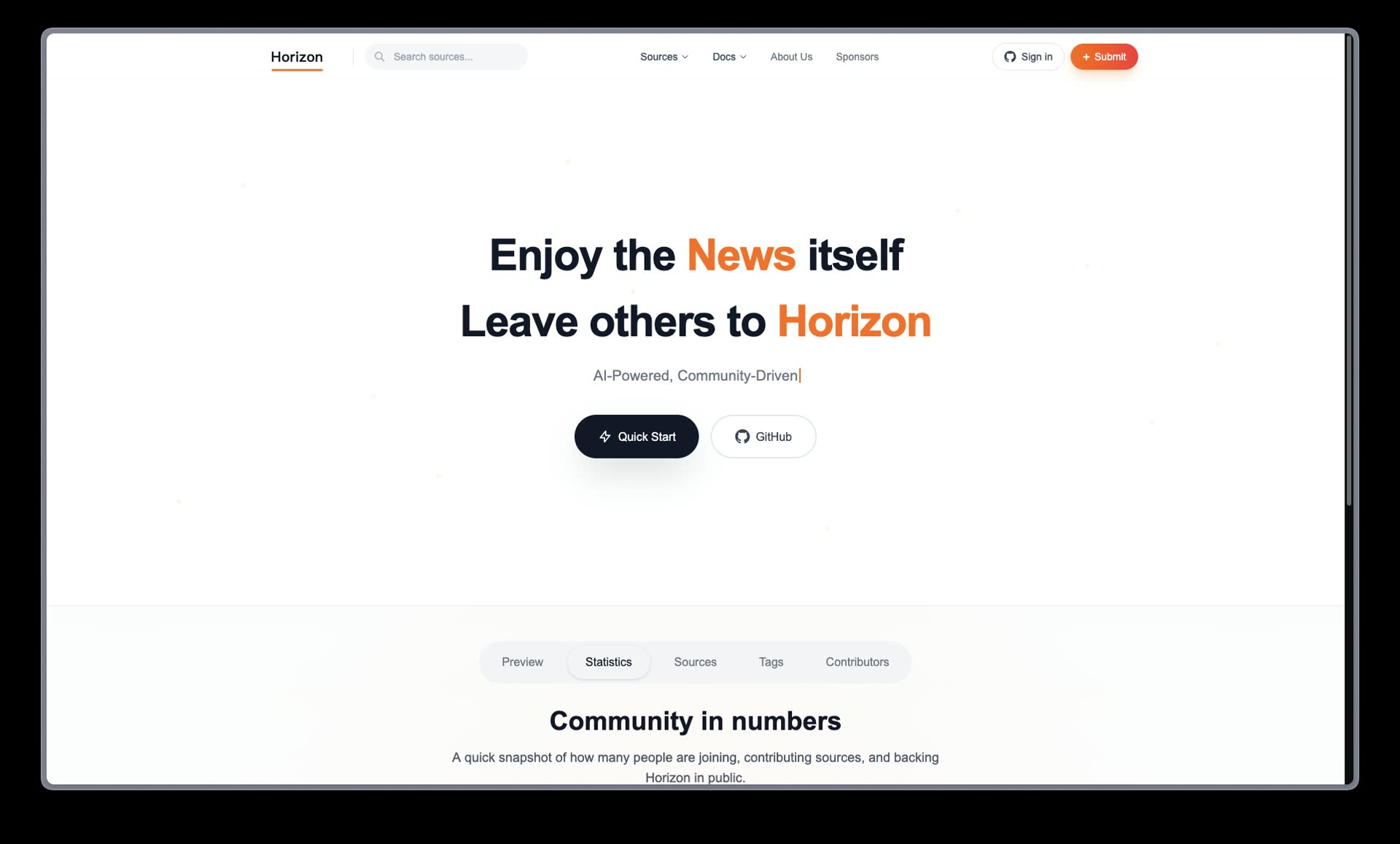
The Horizon official website. Its positioning feels closer to a local news source aggregation tool.
What Is Horizon?
Horizon is an open-source news aggregation tool. Its main purpose is to fetch the latest content from different sources, then use AI to summarize, score, and organize it.
It supports quite a few sources. The ones I cared about most this time were:
- RSS
- Hacker News
- GitHub Changelog
- Hugging Face Blog
- Simon Willison Blog
- Latent Space
I did not use it as a full news editor. For me, it is more like a “news radar”: first scan and collect potentially useful material, then leave decisions like whether to write about it, how to write it, and how to put it into the blog to Codex.
Installation
The local installation method recommended in the official README is to clone the repo first, then use uv sync to install dependencies. This is the most standard route and also the best way to test the functionality first.
git clone https://github.com/Thysrael/Horizon.git
cd Horizon

# Officially recommended installation via uv
uv sync

# If you want to run tests or development-related tools, install the dev extra
uv sync --extra dev

# Or use pip editable install
pip install -e .
If you want to use Docker, the official project also provides a Docker Compose route:
git clone https://github.com/Thysrael/Horizon.git
cd Horizon

cp .env.example .env
cp data/config.example.json data/config.json

docker compose run --rm horizon
docker compose run --rm horizon --hours 48
When I put it into my blog workflow, I did things a little differently. I placed Horizon under .local/horizon inside the blog repo, but did not add it to git. Horizon is an external tool, and it may contain config, cache, or runtime data, so it is not suitable to push together with the blog.
The actual installation flow I used was:
mkdir -p .local
git clone https://github.com/Thysrael/Horizon.git .local/horizon
cd .local/horizon
uv sync
uv run horizon --help
If I am testing inside an existing repo, I also add .local to the local git exclude file:
echo ".local/" >> .git/info/exclude
This way Horizon can stay in the local workspace, and Codex can call it to fetch data when needed, but it will not pollute the blog project that needs to be pushed.
Basic Configuration
Horizon’s config file is at data/config.json. For the first run, you can copy it from the example:
cd .local/horizon
cp data/config.example.json data/config.json
When I tested it, I did not add a huge number of sources all at once. I started with a few stable RSS feeds and Hacker News. The config roughly looks like this:
{
  "sources": {
    "rss": {
      "enabled": true,
      "feeds": [
        {
          "name": "OpenAI News",
          "url": "https://openai.com/news/rss.xml",
          "category": "ai"
        },
        {
          "name": "GitHub Changelog",
          "url": "https://github.blog/changelog/feed/",
          "category": "devtools"
        },
        {
          "name": "Hugging Face Blog",
          "url": "https://huggingface.co/blog/feed.xml",
          "category": "ai"
        }
      ]
    },
    "hackernews": {
      "enabled": true,
      "max_items": 30
    }
  }
}
One small issue I ran into: not every URL that looks like RSS actually works. Some sources return 404, and some only provide titles without content. My approach is to first get the pipeline working with a small number of stable sources instead of trying to add a lot at the beginning.
How I Actually Use It
The full Horizon pipeline can connect to an AI provider and let it handle summarization and scoring. I did not use it that way this time because I did not want to prepare another API key.
My current flow is:
- Horizon collects news sources
- Codex reads the data collected by Horizon
- Codex organizes it into a daily AI news article
- Each news item keeps its original source URL
- Publish it to the blog’s news page
Here is the result from my test:
In this video, you can see that the news article includes not only summaries, but also source links. I think this is important, because the biggest risk with AI-written news summaries is ending up with text that reads smoothly but does not make clear where it came from.
The final presentation I currently want is:
Author: Codex, automatically collected via Horizon and automatically written
This way, readers can immediately tell that this is not a manually reported article, but a daily summary organized after automatically collecting source material.
Notes After Testing
After testing it, I think Horizon is best suited to play the first step in the workflow. It does not necessarily need to be responsible for finishing the article, but it is very useful for collecting scattered sources in one place first.
This helps a lot for daily news. Since I only need to write one summary per day, each event does not need its own standalone article. After Horizon collects the sources, Codex can pick a few more important updates and organize them into one morning briefing, which is also easier for readers to follow.
I also prefer this division of work. Horizon collects data, Codex writes the article. Each tool does what it is good at, and the overall workflow becomes more stable.
The main thing to watch for right now is source quality. Some RSS feeds are unstable, and Reddit may also hit rate limits, so I would not add too many data sources from the start. It is more practical to first get a few reliable sources running smoothly, then add more gradually.
How I Plan to Automate This Later
Next, I want to turn this flow into one article per day:
Every morning at 8:30
→ Horizon collects recent AI news sources
→ Codex organizes them into an “automatic AI news summary”
→ Each news item includes its source
→ Check the build
→ Publish to the blog
I do not plan to have it publish many articles per day. For this blog, one daily summary containing multiple news items feels about right. Readers will not be flooded by short news posts all day, and it is also easier for me to check quality.
For now, I think this combination is worth continuing with. Horizon is responsible for pulling out the information, and Codex is responsible for turning it into readable content. That is much more comfortable than manually opening a dozen tabs to organize news.