

Meetily Hands-On: A Local AI Tool for Meeting Transcription, Transcripts, and Traditional Chinese Summaries
Meetily is an open-source, privacy-first AI meeting assistant that can record, transcribe, and generate summaries locally. I tested v0.4.0 and organized the installation flow, Chinese transcription model setup, Traditional Chinese summaries, and the situations where it makes sense to use.
Introduction
I previously wrote about a local speech-to-text tool called Vibe. Its strength is that it is very simple: drop in an audio file, and it turns it into text. But if what you want is not just transcription, and is closer to a "meeting assistant" workflow, then Meetily, which I tested this time, is closer to that direction.
Meetily is an open-source AI meeting assistant. Its official focus is privacy-first, meaning recordings, transcripts, and summaries can all be processed locally without sending meeting content to the cloud. It can record meetings, transcribe in real time, and use built-in models or local AI such as Ollama to generate summaries.
For this test, I used Meetily v0.4.0. I mainly wanted to check three things: whether installation is smooth, how Chinese transcription should be configured, and whether it can finally produce Traditional Chinese summaries.
Related Links:
Who Is Meetily For?
If you only occasionally need to turn a piece of audio into a transcript, a minimal tool like Vibe may already be enough. Meetily is better suited to "meeting" scenarios: you want to record directly during the meeting, keep a transcript afterward, and then have AI help organize the key points.
I think it fits these types of users best:
- People who have frequent meetings and want to keep meeting records
- People who do not want to upload interviews or internal discussions to the cloud
- People who want transcripts plus AI summaries, not just subtitles
- People willing to spend a bit of time downloading models in exchange for the reassurance of local processing
It is not the kind of tool that opens to only one button. The first-time setup has a few more steps because it needs to download transcription and summarization models. But these flows are all built into the app, and you can complete them by following the interface.
Download and Installation
Meetily’s installer is available on the GitHub Releases page. For the current v0.4.0, Windows users can download meetily_0.4.0_x64-setup.exe, and Apple Silicon Mac users can download meetily_0.4.0_aarch64.dmg.
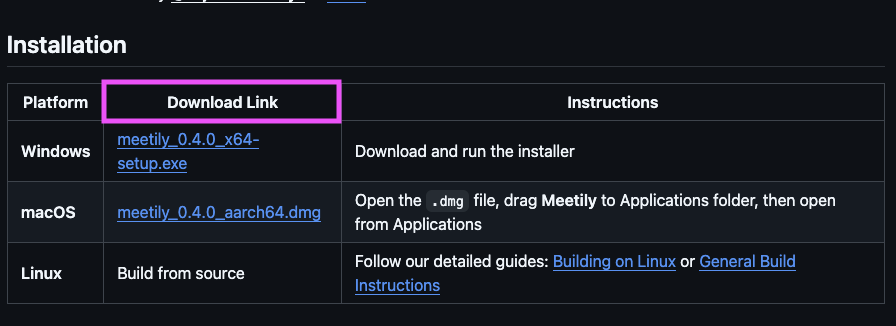
Download the version for your system from GitHub Releases
On macOS, the flow is to download the .dmg, open it, and drag the app into Applications. On Windows, download the setup.exe and install it directly. Linux currently leans more toward building from source, which is not the focus of this article.
First Launch: Download the Base Models First
After launching Meetily for the first time, it enters a preparation screen. It downloads the Transcription Engine, which is the base tool for speech-to-text. It also downloads the Summary Engine, which is used for meeting summaries.
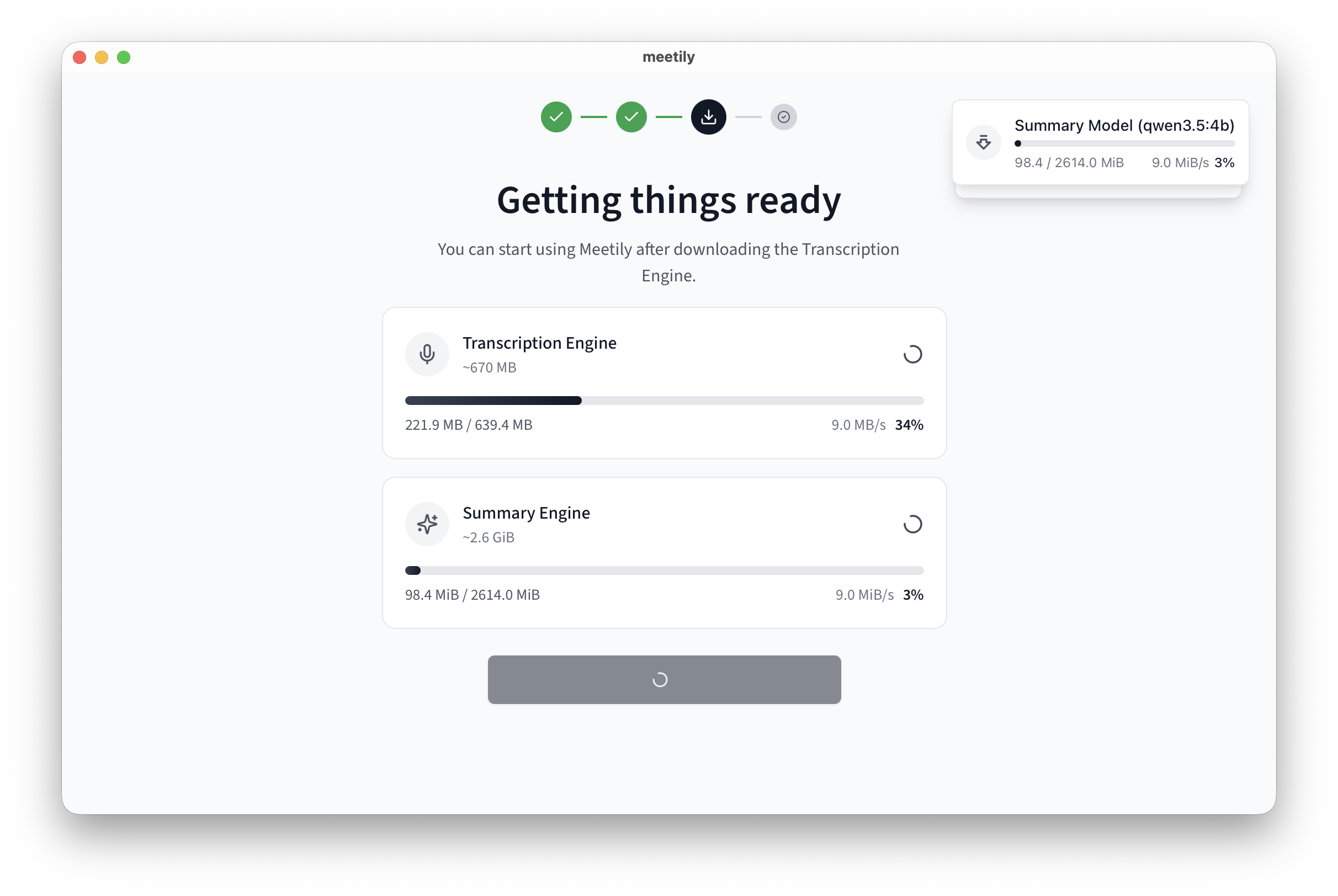
The first launch downloads models related to transcription and summarization
My impression was that this step does not need much investigation. As long as the network is stable, just let it finish. The part that really needs attention is the Chinese model setup later, because the default transcription option may not be the best fit for Chinese content.
Chinese Transcription: I Recommend Switching to Local Whisper
In Meetily’s Transcription settings, you can choose Parakeet or Local Whisper. Parakeet is the officially recommended real-time transcription option, and its speed and experience both look pretty good. But when I tested Chinese content this time, I later found that if you want to recognize Chinese, switching to Local Whisper is a better fit.
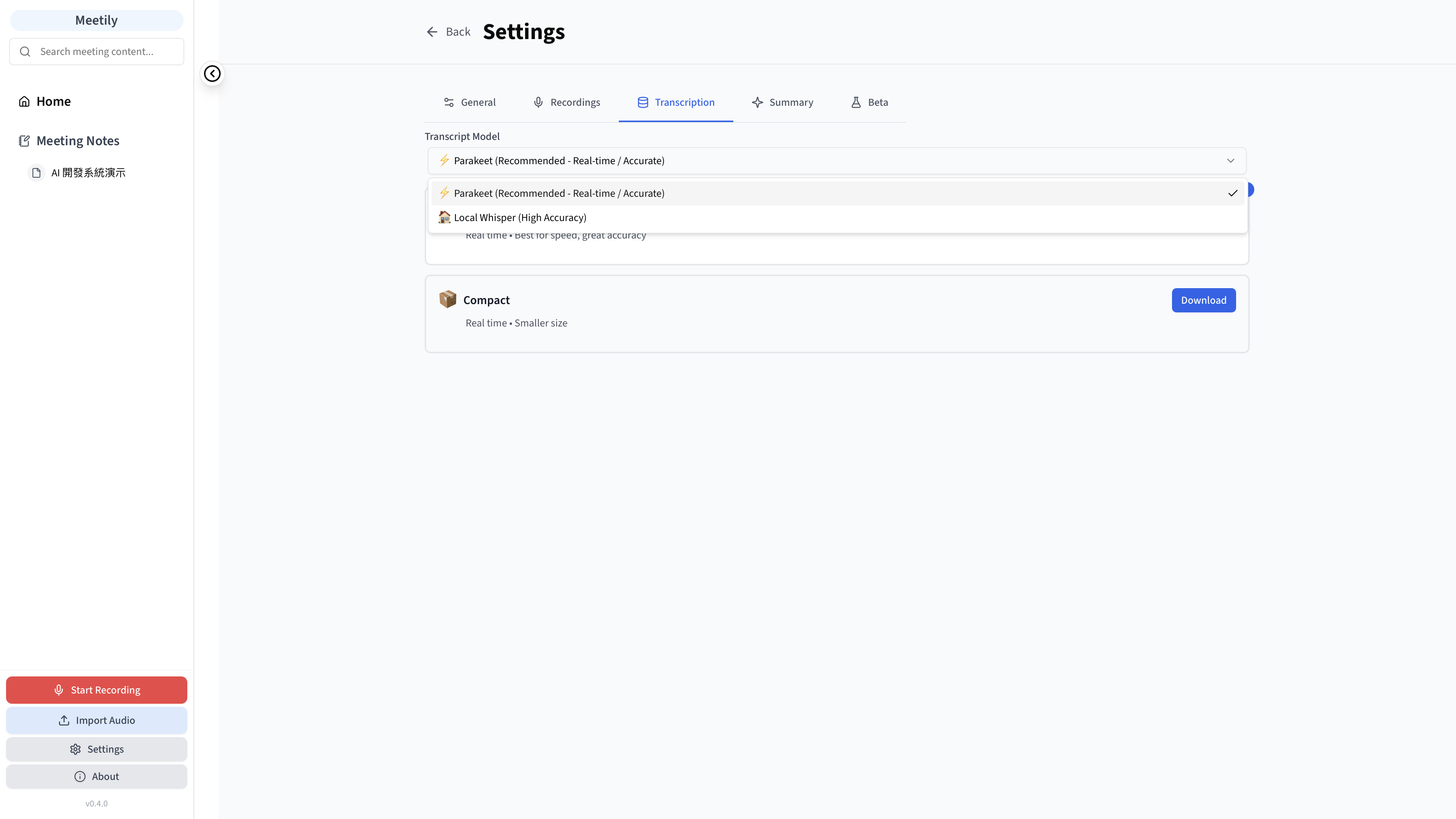
Chinese users should go to Transcription settings and switch to Local Whisper
After switching to Local Whisper, Whisper models of different sizes appear below. My recommendation is to download Medium first. It is not the smallest and not the most accurate, but for general Chinese meetings, podcast clips, or interview content, it is a more balanced choice between speed and accuracy.
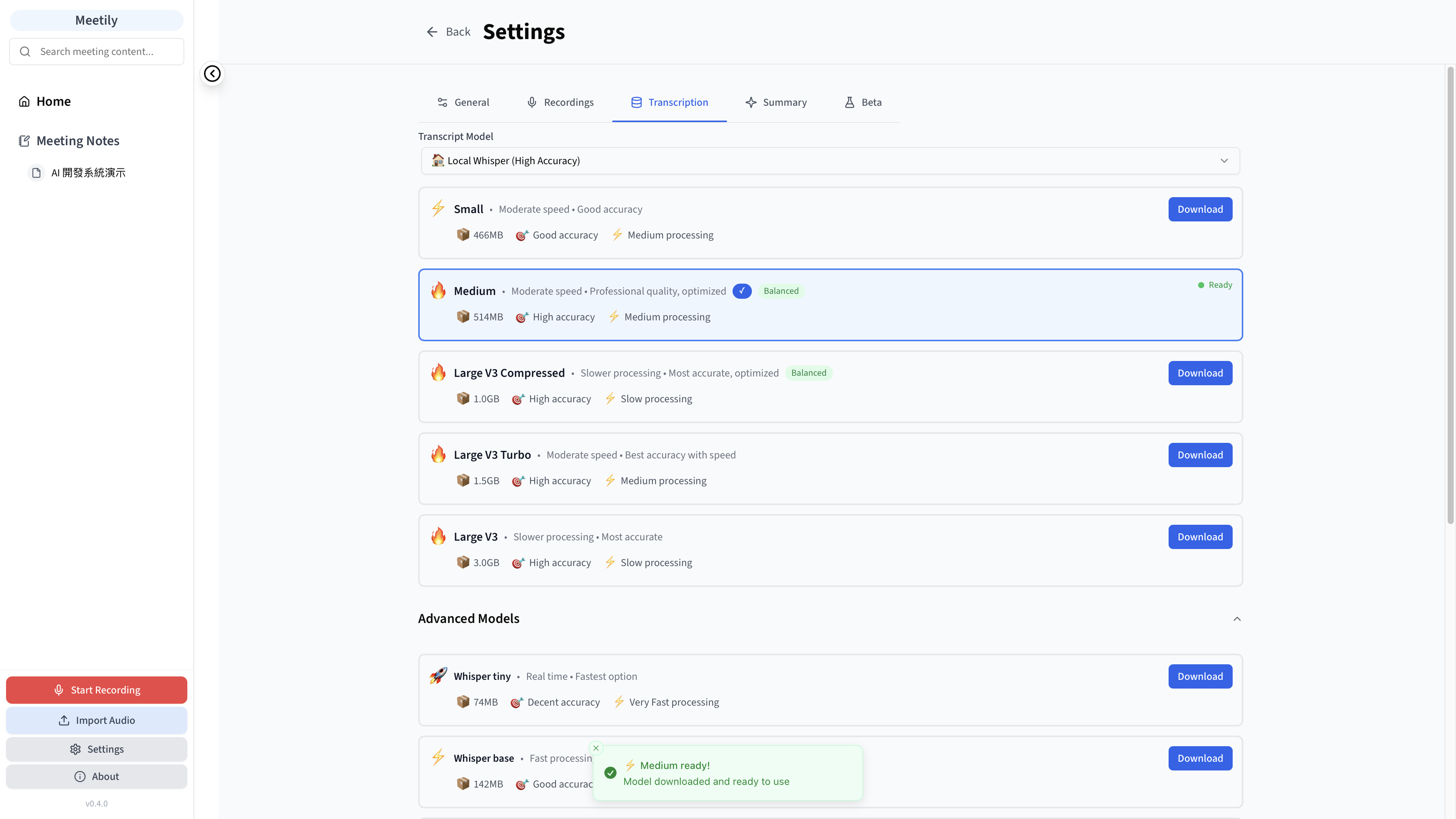
In my test, I chose Medium for a better balance between speed and accuracy
If your computer is less capable, you can try Small first. If the content is important and the audio quality is only average, you can consider Large V3 or Large V3 Turbo. But the larger the model, the larger the download size and the longer the processing time.
Summary Language: Remember to Pin Traditional Chinese
Another practical part of Meetily is that it does not only generate transcripts. It can also organize a meeting into a summary. For Chinese users, the most important thing is to go into Summary settings and set Summary Language to Traditional Chinese.
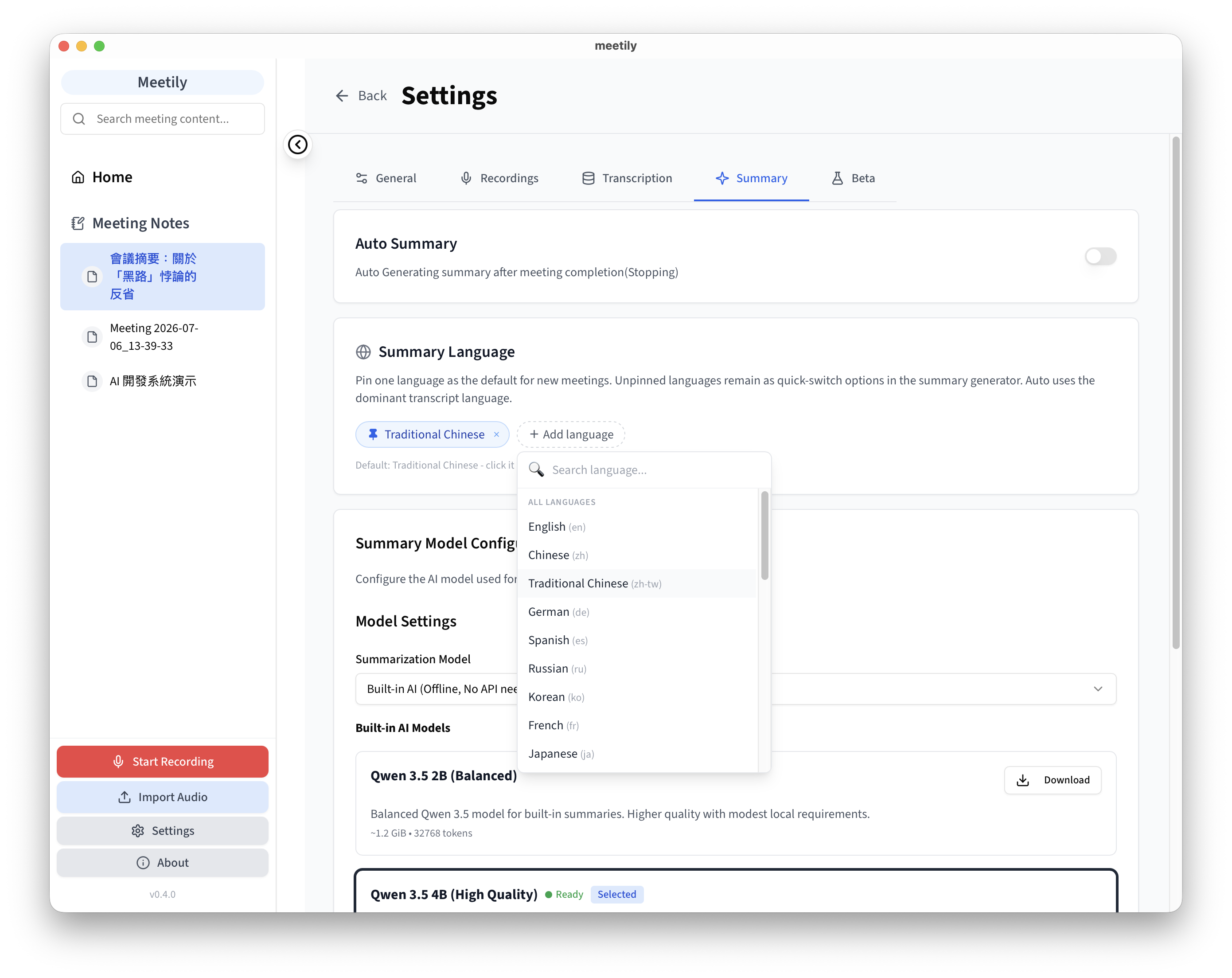
Pin Traditional Chinese in Summary Language, and future summaries will consistently output Traditional Chinese
This setting is easy to miss. Before changing it, Meetily may generate summaries based on the transcript language or the default option. After switching it to Traditional Chinese, each generated summary afterward is more aligned with how Taiwanese users read.
For this test, I used a Chinese video clip from YouTube Shorts, specifically a "#博音" segment. Meetily successfully produced a transcript and could also organize it into a summary. It is not perfect line by line, especially for names, program names, or spoken sentence breaks, which may still need some manual cleanup. But for quickly reviewing content, it is already quite helpful.
How It Differs from Vibe
I would treat Vibe and Meetily as two different types of tools.
Vibe is more like a "local subtitle tool": drop in a file, generate a transcript or subtitles, and the flow is very clean. Meetily is more like a "local meeting notes tool": its focus is not only turning audio into text, but covering recording, transcription, meeting record management, and summary generation in one interface.
So if you only want to handle video subtitles, I would recommend Vibe first. If you have meetings, interviews, course notes, or internal discussion records, Meetily’s workflow is more complete.
Hands-On Impressions
After testing it, the most appealing part of Meetily for me was not that "AI summaries are flashy", but that it combines privacy with the meeting workflow. Many meeting tools are convenient, but once the content goes to the cloud, internal discussions, customer information, or unpublished plans can become awkward. Meetily’s local-first approach at least gives users one more option.
That said, I would not say it has no setup cost. The first installation requires downloading models, and Chinese users also need to know to change Transcription to Local Whisper and Summary to Traditional Chinese. These are not difficult, but if you do not notice them at all, the experience can be very different.
If you need an AI meeting assistant that can run locally, Meetily is worth trying. If you only want to quickly transcribe subtitles for a short video, it may actually be more complete than what you need.
Conclusion
Meetily is a local AI meeting tool that fits users who care about privacy. It supports macOS and Windows, and can also be built from source on Linux. Feature-wise, it covers recording, transcripts, summaries, and local model configuration.
My suggestion is simple: after Chinese users install it for the first time, go to Transcription, choose Local Whisper, and download the Medium model. Then go to Summary and pin the language to Traditional Chinese. Once these two settings are done, Meetily feels much more like a tool that can actually organize Chinese meetings.
Related Links: